
Discover how AI can help you schedule Instagram posts smarter, save time, boost engagement, and grow your audience with less effort. Smarter social media starts here!
Do you ever feel like keeping up with Instagram is a full-time job?
Between finding the right time to post, writing captions, and planning content — it’s a lot!
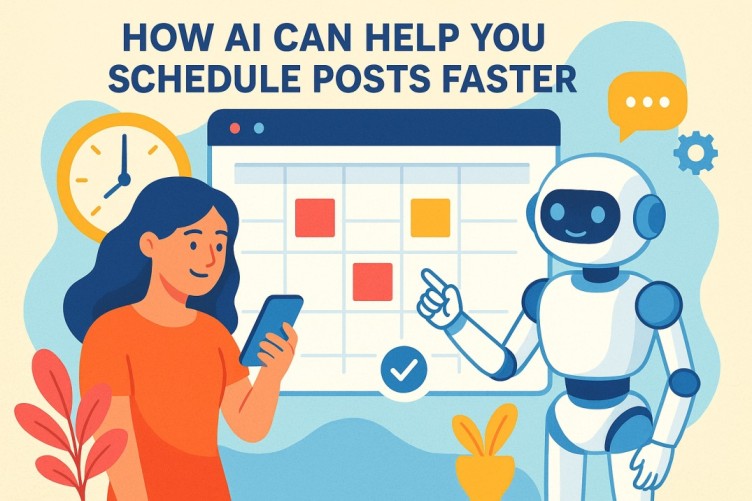
That’s where Artificial Intelligence (AI) steps in. AI is not just for robots or techies anymore — it’s now helping creators, influencers, and small business owners make Instagram management easier and smarter.
In this guide, you’ll learn how AI can help you schedule Instagram posts effortlessly — saving time, boosting engagement, and keeping your feed looking perfect.
1. What Does It Mean to “Schedule Instagram Posts”?
Before diving into AI, let’s understand what scheduling Instagram posts means.
Normally, you’d:
- Pick a photo or video
- Write a caption
- Choose hashtags
- Post it manually
But with scheduling tools, you can:
- Upload your content in advance
- Pick a future date and time
- Let the tool auto-post for you
That means your content goes live even when you’re asleep, traveling, or busy.
Example:
You can schedule a post for Monday 8 PM — and while you’re watching a movie, your post automatically appears on Instagram!
2. How AI Changes the Game
AI tools don’t just help you schedule Instagram posts — they make the whole process smarter.
Here’s how AI is different from regular scheduling tools:
- Regular tools post what you tell them to.
- AI tools learn your audience’s behaviour — when they’re active, what kind of posts they like, and even what captions perform better.
- Then, AI suggests or automatically chooses the best time and style for posting.
So instead of guessing, AI helps you post like a pro — every time.
3. Benefits of Using AI to Schedule Instagram Posts
Let’s explore how AI helps you get better results with less effort.
a. Saves Time
AI tools can handle:
- Uploading
- Caption writing
- Hashtag suggestions
- Posting at the perfect time
So, you can focus on creating content, not on remembering when to post.
b. Boosts Engagement
AI analyzes your followers’ activity — when they’re most likely to like, comment, or share.
It then schedules your posts when your audience is online, increasing your engagement rate.
c. Creates Better Captions
Some AI tools can even write your captions!
You can give them a short idea, like “morning motivation post,” and they’ll generate a catchy, emoji-filled caption.
d. Improves Hashtags
Finding the right hashtags is tough.
AI tools scan trending hashtags and suggest the ones most likely to bring more reach.
e. Gives Smart Analytics
AI doesn’t just post — it tracks performance.
You’ll know:
- Which posts got the most likes
- What time works best
- Which style (photo, reel, carousel) gets more views
This means you’re always improving.
4. Top AI Tools to Schedule Instagram Posts Smarter
Here are some popular AI tools you can explore:
- Meta Business Suite – Free tool by Instagram for basic scheduling.
- Later – Suggests best times and manages visuals easily.
- Buffer – Simple and beginner-friendly.
- Hootsuite – AI-driven recommendations and analytics.
- Canva Magic Studio – Now includes AI-powered post scheduling and design.
- SocialBee – Helps recycle and repurpose your top-performing content.
- Metricool – Tracks analytics and optimizes future schedules with AI.
Tip: Try free trials of these tools before committing to a paid plan.
5. How AI Helps You Design Posts Too
AI can also help you design Instagram posts that look professional — without needing a designer.
Here’s what AI can do:
- Suggest color combinations that fit your brand
- Auto-generate image layouts
- Create captions and hashtags that match your post’s theme
You can even use tools like Canva Magic Write or Adobe Express AI to create full Instagram posts in minutes.
Example:
You upload your photo → AI suggests a caption + hashtags + the best time to post.
Boom! You’re done in 2 minutes instead of 20.
6. AI-Powered Smart Posting Tips
Here are pro tips to make the most of AI when you schedule Instagram posts:
- Set Your Goals:
Do you want more followers, reach, or sales? AI needs direction to optimize for what matters to you. - Feed It Data:
The more posts you create, the better AI learns your style and audience. - Test & Learn:
Try different times, captions, and post types. Let AI track which ones perform best. - Stay Human:
Even though AI helps, don’t lose your personal voice. Add your real thoughts and emotions in your captions. - Use Insights:
Always check what AI tools suggest — they often reveal hidden audience trends!
7. Why AI Scheduling Beats Manual Posting
Let’s compare:
| Feature | Manual Posting | AI Scheduling |
|---|---|---|
| Time Needed | High | Low |
| Best Time Accuracy | Guesswork | Data-driven |
| Hashtag Selection | Manual | AI-recommended |
| Caption Ideas | Self-written | AI-assisted |
| Analytics | Limited | Detailed |
| Consistency | Hard to maintain | Automated |
Winner? Clearly, AI scheduling makes Instagram posting smarter, easier, and faster.
8. How AI Helps Maintain Consistency
Consistency is key on Instagram.
If you post daily for a week and then disappear for a month, your followers lose interest.
AI solves this by:
- Keeping your posting calendar full
- Reminding you about upcoming posts
- Filling content gaps automatically
You can even create content calendars for an entire month in one sitting!
Pro Tip:
Use “Auto-schedule” mode — AI picks and posts at the best times automatically.
9. Mistakes to Avoid When Using AI for Scheduling
Even smart tools can go wrong if not used right.
Avoid these mistakes:
- Relying 100% on AI — Always review before posting.
- Ignoring engagement — Don’t “set and forget.” Reply to comments!
- Using too many hashtags — Stick to 15–20 relevant ones.
- Repeating the same content — Keep your feed fresh.
- Not analysing results — Use AI analytics to improve future posts.
11. How to Create an AI-Powered Instagram Posting Plan

Now that you know what AI tools can do, let’s build your AI-powered posting plan step-by-step.
This will help you stay organized, consistent, and data-driven.
Step 1: Define Your Content Goals
Before scheduling, ask yourself:
- Do you want to grow followers?
- Drive traffic to your website?
- Increase engagement?
- Promote a product or service?
Example:
If your goal is engagement, post more Reels or question-style captions.
AI tools can detect which content format helps achieve your goal faster.
Step 2: Choose Your AI Scheduling Tool
Pick a tool that fits your needs and budget.
Here’s a quick comparison:
| Tool | Best For | Price Range |
|---|---|---|
| Later | Visual planning | Free – Paid |
| Canva Scheduler | Design + scheduling in one | Free – Paid |
| Hootsuite | Advanced analytics | Paid |
| Buffer | Simplicity | Free – Paid |
| Metricool | Smart AI insights | Free – Paid |
Pro Tip:
If you’re new, start with Later or Buffer — simple, user-friendly, and AI-powered.
Step 3: Let AI Suggest Posting Times
Most AI tools track your audience and suggest:
- Best day of the week
- Best hour of the day
- When your followers are most active
Instead of guessing, trust the AI data.
The goal is to post when your audience is scrolling — not when you’re free.
Step 4: Use AI for Caption and Hashtag Writing
This is where AI truly shines.
AI tools can:
- Suggest trending hashtags for your niche
- Write catchy, emotional captions
- Add emojis and call-to-actions (CTAs)
Example Caption by AI:
“Mondays are for new beginnings! What’s your goal this week? Let’s grow together #MotivationMonday #SocialMediaGrowth”
This not only saves time but keeps your brand voice consistent.
Step 5: Plan Your Visual Grid
AI can also help design your Instagram feed layout.
Tools like Preview App or Later Visual Planner use AI to:
- Arrange posts visually
- Suggest the right color balance
- Keep your feed aesthetic
So, every post fits perfectly in your grid, making your profile look professional.
12. Advanced AI Tricks for Instagram Scheduling
Let’s level up!
Once you’ve mastered basic scheduling, these AI tricks can help you get more out of every post.
a. Use AI to Repurpose Old Posts
You don’t always need new content.
AI can find your top-performing posts and help you:
- Recreate them with new captions
- Turn static posts into Reels
- Refresh designs with updated visuals
This saves tons of time while keeping your feed fresh.
b. Predict Future Trends
AI tools like Predis.ai or Emplifi analyze social trends and predict what’s going to be popular soon.
That means you can post content before it becomes trendy — staying ahead of the game.
Example:
If AI sees “AI-generated art” trending, you can post related content before everyone else catches on.
c. Personalized Recommendations
AI learns from your posting history.
After some time, it might suggest:
- “Your photo posts do better on Tuesdays at 6 PM.”
- “Your Reels perform best with 20–30-second durations.”
These personalized tips help you make data-driven decisions.
d. Collaborate Smarter
AI also helps teams collaborate.
If you’re working with a brand or partner:
- The AI tool can notify both when it’s time to post
- Auto-approve scheduled content
- Keep the content calendar shared in real-time
No more confusion or missed posts!
13. Tracking Performance with AI Analytics
Scheduling is just half the job.
To truly grow, you must analyze performance — and AI makes it super simple.
Here’s what AI analytics can tell you:
- Which post types (photo, reel, carousel) get the most reach
- Which hashtags bring engagement
- The best times that work for you
- Follower growth patterns
Example:
If AI notices your “Monday motivation” posts get 40% higher reach, it will suggest scheduling similar ones more often.
Metrics You Should Track
- Engagement Rate – Likes, comments, saves
- Reach – How many people saw your post
- Impressions – Total views (including repeats)
- Follower Growth – How fast your community is growing
- Hashtag Performance – Which hashtags brought the most traffic
With AI, you don’t need to calculate all this manually — it does the math for you.
14. The Future of AI in Instagram Scheduling
AI is just getting started.
In the near future, you’ll see even smarter tools that can:
- Predict viral content
- Auto-generate Reels from your existing posts
- Respond to comments automatically with your tone
- Adjust posting schedules dynamically based on real-time engagement
AI won’t just help you schedule Instagram posts — it’ll handle your entire content strategy. Example:
Imagine uploading 20 photos, and AI auto-generates captions, hashtags, times, and even carousel ideas. That’s the future — and it’s coming fast.
15. How Businesses Benefit from AI Scheduling
AI scheduling is not just for creators — it’s a game-changer for businesses too.
For Small Businesses
- Save time by scheduling a month’s content in one go.
- Post at the right times for maximum visibility.
- Use AI-generated captions that match your tone.
For Brands and Agencies
- Manage multiple clients from one dashboard.
- Keep track of analytics and insights automatically.
- Collaborate easily using shared AI calendars.
For E-Commerce Stores
- Schedule product launch posts in advance.
- AI recommends posting times right before your audience shops.
- Monitor conversion-driven content automatically.
16. How to Make AI Work With You, Not For You
While AI is amazing, remember: it’s a tool — you are the creator.
Here’s how to balance automation with authenticity:
- Let AI do the routine work: Scheduling, timing, analytics.
- Keep creativity human: Your emotions, stories, humor, and authenticity.
- Review everything before posting: AI helps, but you decide the final message.
AI + Human = The perfect Instagram strategy
17. Common Questions (FAQs)
Q1. Can AI post directly to Instagram for me?
Yes! Most AI-powered tools can auto-post once you connect your Instagram account.
Q2. Are AI captions safe to use?
Absolutely — just make sure to tweak them to sound like you. That keeps your brand voice natural.
Q3. Can I schedule Reels and Stories too?
Yes, some tools like Later, Metricool, and Hootsuite now support AI-based Reel and Story scheduling.
Q4. Is using AI allowed by Instagram?
Yes, as long as you use trusted tools that comply with Instagram’s API (like Buffer or Meta Suite).
Q5. How many posts should I schedule per week?
Start with 3–5 posts per week, and let AI suggest your best-performing days.
18. Pro Tips to Rank Your Instagram Content Faster
If you’re scheduling Instagram posts and want more reach, follow these AI-backed tips:
- Use strong hooks in your captions.
- Include CTAs like “Comment below ” or “Save this post for later!”
- Mix content types: Reels, carousels, and images.
- Use AI insights to post when your audience is most active.
- Stay consistent — AI helps, but posting regularly builds trust.
Bonus Tip:
Try posting your best-performing content again after 30–45 days with slight edits. AI tools track if it performs even better the second time!
19. The Human Touch Still Matters
While AI makes your job 10x easier, remember — people follow people, not robots.
Your followers connect with your voice, emotion, and real stories.
So, even when you use AI to schedule Instagram posts:
- Share personal experiences
- Reply to comments
- Show behind-the-scenes moments
That’s what builds real connection and long-term growth.
20. Conclusion: Smarter Scheduling = Stronger Growth
AI is your secret weapon to:
- Save time
- Post consistently
- Engage smarter
- Grow faster
Instead of stressing over when to post, what to write, or which hashtags to pick — let AI handle it all while you focus on creating content that inspires.
When you use AI to schedule Instagram posts smarter, you don’t just work harder — you work brighter.
So start today. Pick your AI tool, plan your week, and watch your Instagram grow — post by post, smartly and effortlessly.